Market4Me
How to Schedule a Month of Content in a Day for Fashion
Struggling to keep up with daily fashion posts? Here is the exact step-by-step framework to schedule a month of content in a day using modern production workflows.
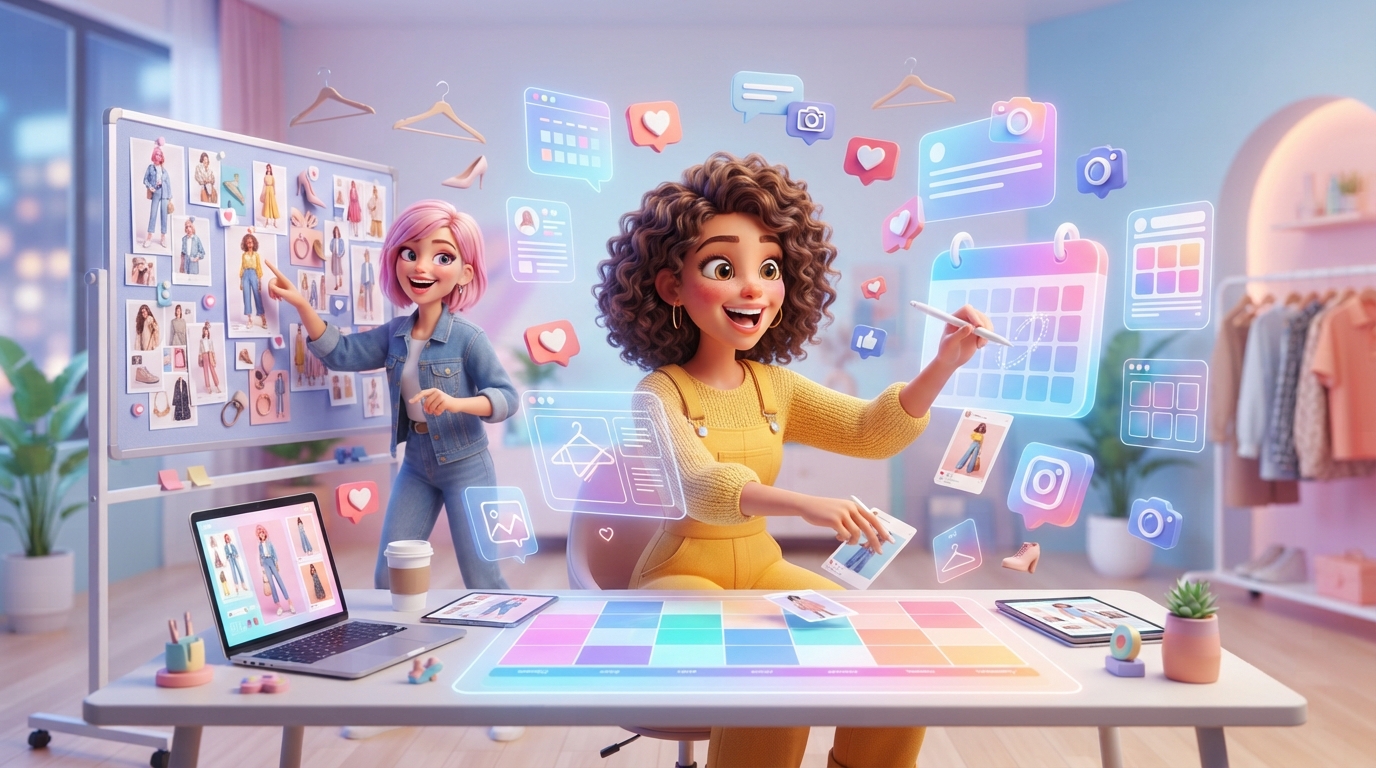
Struggling to keep up with daily fashion posts? Here is the exact step-by-step framework to schedule a month of content in a day using modern production workflows.
Key takeaways
- Divide your fashion content into three distinct visual pillars to avoid creative fatigue.
- Use a hybrid production model combining raw garment close-ups with AI-generated talking-head segments.
- Follow a strict hourly timeline to script, generate, and schedule 30 posts in exactly 8 hours.
- Understand the limits of automation—always review color accuracy and fit representation before scheduling.
For most fashion founders and small marketing teams, social media feels like a relentless treadmill. You spend a weekend styling outfits, setting up lighting, and filming dozens of takes, only to spend the next three days editing, writing captions, and hunting for trending audio. By the time you post, you are too exhausted to engage with your community, and the cycle starts all over again.
But it doesn’t have to be this way. By shifting from a reactive daily posting model to a structured batching process, you can schedule a month of content in a day. This guide walks you through the exact operational blueprint to script, produce, and schedule 30 high-performing short-form videos (TikToks, Reels, and Shorts) in a single 8-hour shift.
The Fashion Bottleneck: Why Traditional Batching Fails
Traditional content batching advice sounds simple: “Just film 30 videos on Sunday!” However, fashion has unique operational challenges that make this advice impractical for solo founders or small teams:
- Physical Fatigue: Changing outfits 30 times, adjusting lighting for different colours, and maintaining high energy on camera is physically draining.
- The Editing Logjam: Filming 30 videos results in hours of raw footage. Editing that down with transitions, text overlays, and captions can easily take 15 to 20 hours.
- Inventory Shifts: Fashion moves fast. If you batch-film a month of content featuring an item that sells out in week one, your scheduled content quickly becomes obsolete.
To successfully schedule a month of content in a day, you must separate physical asset gathering from narrative creation. By using a hybrid workflow—combining raw B-roll of your garments with modern tools like an AI Instagram Reel generator or an AI UGC generator—you can build a scalable, repeatable content engine.
Step 1: Establish Your Three Visual Pillars
Before opening a camera or writing a script, you must define what you are posting. A balanced fashion feed should never rely solely on “outfit of the day” (OOTD) videos. Instead, divide your monthly output into three distinct pillars to keep your audience engaged and cover different stages of the buying journey.
Pillar 1: Styling & Education (40% of Content)
This content solves problems for your customer. It teaches them how to wear your items, how to dress for their body type, or how to care for specific fabrics. Examples include:
- “3 ways to style a linen trench coat”
- “The secret to tucking oversized knits without the bulk”
- “How to wash silk at home without ruining it”
Pillar 2: Aesthetic & Brand Vibe (30% of Content)
This pillar builds emotional resonance. It focuses on the lifestyle, aspiration, and aesthetic of your brand. You do not need to speak in these videos; they rely on high-quality visuals, mood-setting music, and quick cuts. Examples include:
- A morning routine featuring your loungewear
- A highly aesthetic lookbook filmed in a gallery or café
- A “pack an order with me” video highlighting sustainable packaging
Pillar 3: Product Close-Ups & Fit Guides (30% of Content)
This is your direct-response content. It answers practical shopping questions: How does the fabric drape? What does the stitching look like? How does it fit different heights? You are directly addressing objections to lower your return rates. This is where an AI video marketing platform can help you scale product-focused explainers without needing a full-time studio.
Step 2: The Scripting & Hook Blueprint (Hours 1–2)
Do not try to write 30 scripts from scratch. Instead, use a structured framework. Every short-form fashion video should follow a simple three-part formula: Hook (0-3s) -> Value/Body (3-12s) -> Call to Action (12-15s).
Here is a breakdown of high-converting hook formulas specifically for fashion ecommerce:
- The Direct Objection Hook: “If you think you can’t wear wide-leg trousers because you’re under 5’4”, watch this."
- The Cost-Per-Wear Hook: “Stop buying cheap basics. Here is how this one £40 top styles into 5 different outfits.”
- The Visual Pattern Interrupter: “The one styling mistake making your outfits look cheap.”
To speed up this process, use a specialised video script generator to draft your outlines. Spend your first two hours of the day writing the text scripts for all 30 posts. Do not worry about filming yet—just get the words, hooks, and visual prompts down on paper or into your digital workspace.
Step 3: Asset Gathering & Hybrid Production (Hours 3–5)
This is where we break the traditional filming bottleneck. Instead of dressing up and talking to a camera 30 times, you will use a hybrid production model.
1. Collect Your Brand B-Roll (1 Hour)
Spend one hour filming high-quality, generic B-roll of your products. You do not need to be camera-ready for this. Set up your phone on a tripod near a natural light source and capture:
- Close-ups of fabric textures, stitching, and buttons.
- Garments hanging on aesthetic hangers against a clean wall.
- Quick clips of you walking, turning, or adjusting a collar (crop your head out if you do not want to worry about hair and makeup).
- Aesthetic flat-lays of outfit combinations.
Aim to capture 15 to 20 short, 5-second clips. This raw library will serve as the visual background for multiple videos.
2. Leverage AI Generation for Talking-Head Content (1 Hour)
If you want to explain styling rules or run through product benefits, you traditionally need to sit down and record talking-head videos. This is time-consuming and difficult to scale.
Instead, you can use an AI influencer generator to create a consistent, recurring on-screen persona for your brand. You simply feed your written scripts into the platform, and it generates high-quality vertical videos of a consistent avatar explaining your styling tips. This allows you to produce dozens of educational videos without ever stepping in front of a lens yourself. Learn more about how this works in our guide on AI video for ecommerce store owners.
Step 4: The 1-Day Editorial Workflow
To schedule a month of content in a day, you must treat your day like a structured assembly line. Do not bounce between scripting, filming, and editing. Complete one stage entirely before moving to the next.
| Time | Phase | Task | Deliverable |
|---|---|---|---|
| 09:00 - 11:00 | Scripting | Write 30 hooks, bodies, and CTAs across your 3 visual pillars. | 30 completed scripts in a document. |
| 11:00 - 12:00 | Physical Shoot | Capture raw B-roll, fabric close-ups, and flat-lays. | 20 high-quality raw video clips. |
| 12:00 - 13:00 | AI Generation | Upload scripts to generate talking-head and educational clips. | 15-20 AI-generated video segments. |
| 13:00 - 14:00 | Break | Step away from the screen to maintain creative focus. | Lunch and rest. |
| 14:00 - 16:00 | Assembly & Editing | Combine B-roll with voiceovers, apply text overlays, and generate captions. | 30 polished, export-ready vertical videos. |
| 16:00 - 17:00 | Scheduling | Upload assets to your calendar and set auto-publish times. | A fully populated monthly content queue. |
Step 5: Scheduling and Auto-Publishing
Once your videos are assembled, the final step is scheduling them to post automatically throughout the month. To do this effectively, you need a centralised system.
Instead of manually uploading to TikTok, Instagram, and YouTube Shorts every morning, drop your completed videos into an automated queue. Using a tool like an AI content calendar allows you to map out your posting cadence—such as every Monday, Wednesday, and Friday—and let the platform handle the publishing.
According to Instagram’s Creator Guidelines, consistency is a primary signal for algorithmic reach. Scheduling your posts in advance ensures your account remains active even when you are busy managing inventory, shipping orders, or designing your next collection.
Platform-Specific Scheduling Tips for Fashion:
- TikTok: Use the desktop creator suite to schedule up to 10 days in advance, or use a unified social media scheduler for longer windows.
- Instagram Reels: You can schedule directly within the mobile app up to 75 days in advance, though managing a large batch is often easier via desktop-based developer APIs.
- YouTube Shorts: Use YouTube Studio on desktop to schedule your uploads as “Public” at specific times.
The Cost-Benefit Trade-Offs of Automation in Fashion
While scheduling your content on autopilot saves dozens of hours, it is important to understand the trade-offs of using automated workflows in a highly visual industry like fashion.
The Pros:
- Consistency: You guarantee a steady stream of content without daily creative burnout.
- Cost Efficiency: You do not need to hire expensive videographers, editors, or models for every single social post.
- Data-Driven: By scheduling in advance, you can look at your analytics objectively at the end of the month and adjust your next batch based on actual performance data.
The Cons:
- Loss of Real-Time Trend Reactivity: If a highly specific audio trend or meme format takes off mid-month, your scheduled content won’t reflect it. (To mitigate this, leave 1 or 2 open slots per week in your calendar to drop in quick, reactive, hand-filmed videos).
- Tactile Limitations: AI tools can generate stunning visuals and voiceovers, but they cannot feel the fabric. You must ensure your raw B-roll clearly demonstrates the physical quality, drape, and true-to-life colour of your garments so customers know exactly what they are buying.
Putting Your Content on Autopilot
If you want to bypass the complexity of managing multiple video editors, scriptwriters, and scheduling tools, Market4Me.ai offers an all-in-one solution.
By simply entering your brand’s website URL, Market4Me.ai analyses your products, brand voice, and target demographic. It automatically builds a tailored content strategy, writes high-converting scripts, generates professional short-form videos (featuring consistent, recurring AI influencers if desired), and populates an autonomous content calendar. You simply review the queue, make any necessary edits, and let the system auto-publish directly to your connected accounts.
Ready to reclaim your time and scale your brand’s social media presence? Try Market4Me.ai today and start building your automated content engine.
Put your marketing on autopilot
Paste your URL and let Market4Me.ai build, schedule and post your content for you.
Start free →Frequently asked questions
How many videos do I need to schedule for a full month of fashion content?
For most boutique and ecommerce fashion brands, we recommend posting 3 to 5 high-quality short-form videos per week. This equates to 12 to 20 videos per month. If you are pushing for aggressive growth, aiming for 1 daily post (30 videos per month) is highly effective, provided you use an automated hybrid production workflow to avoid burnout.
Can I use AI-generated models to showcase my actual clothing line?
AI influencers and avatars are excellent for educational content, styling tips, voiceovers, and talking-head style videos. However, to show the exact fit and drape of your physical products, we strongly recommend combining AI-generated segments with real-life, high-resolution B-roll of your actual physical garments. This hybrid approach maintains high production speed while ensuring product accuracy.
What happens if an item featured in a scheduled video sells out?
This is a common challenge in fashion ecommerce. If an item sells out, you can quickly swap the scheduled video for an alternative piece of content in your queue, or edit the video caption and link to redirect users to a similar style or a pre-order waitlist page.
Is a monthly credits system better than paying a traditional video editor?
Yes, for small teams looking for budget predictability. Traditional video editors charge per asset or require a retainer, which can fluctuate wildly. A predictable monthly platform fee—such as Market4Me's Starter plan at $199/mo for roughly 30 videos—helps you scale your output without unexpected agency invoices.
Do scheduled posts perform worse in the algorithm than manual uploads?
No. Major social media platforms (including Instagram, TikTok, and YouTube) treat scheduled posts exactly the same as manual uploads. The algorithm evaluates content based on watch time, engagement, and retention, regardless of whether it was posted live or via an API scheduler.